Off-the-Shelf Accounting Software or Custom Software? A Decision Guide
Most businesses do not need to replace their accounting software; they need the right integration built around it. This guide explains when integration is enough and when custom software is the better choice.
Summary
Most businesses do not need to replace their accounting software; they need the right integration built around it. This guide explains when integration is enough and when custom software is the better choice.
When off-the-shelf software stops being enough
If your business runs on an off-the-shelf accounting or ERP package, the frustration usually comes not from the software itself but from the manual work that piles up around it. That is where accounting software integration starts to matter. These packages are designed to run a standard accounting process: invoicing, receivables and payables, stock, cash and bank, tax returns. The further your business moves beyond that standard, the more gaps appear. The signs we see most often:
- Entering the same data twice. The sales team logs an order in its own spreadsheet, someone in accounts types the same order into the software in the evening, and at month end the two lists do not match.
- Building the monthly report by hand in Excel. Before every board meeting, someone spends two days exporting data and building pivot tables, because the report management wants is not among the software's standard reports.
- An online shop that does not talk to stock. A product shows as "in stock" in the online shop but the warehouse ran out days ago, and apology emails to customers have become routine.
- A field team working on paper. Technicians write job sheets by hand instead of using a mobile app, someone types them in back at the office, and invoicing is delayed by several days.
- Running a workflow "on the side". Project costing, reseller commission or approvals live in a chat group and a shared spreadsheet, and finding out who approved what means scrolling back through messages.
None of these signs on its own means "replace the software". Most of them come from the software being unable to exchange data with the outside world, and that can be solved without throwing it out.
Three paths: integration, add-on modules, custom software
Integration
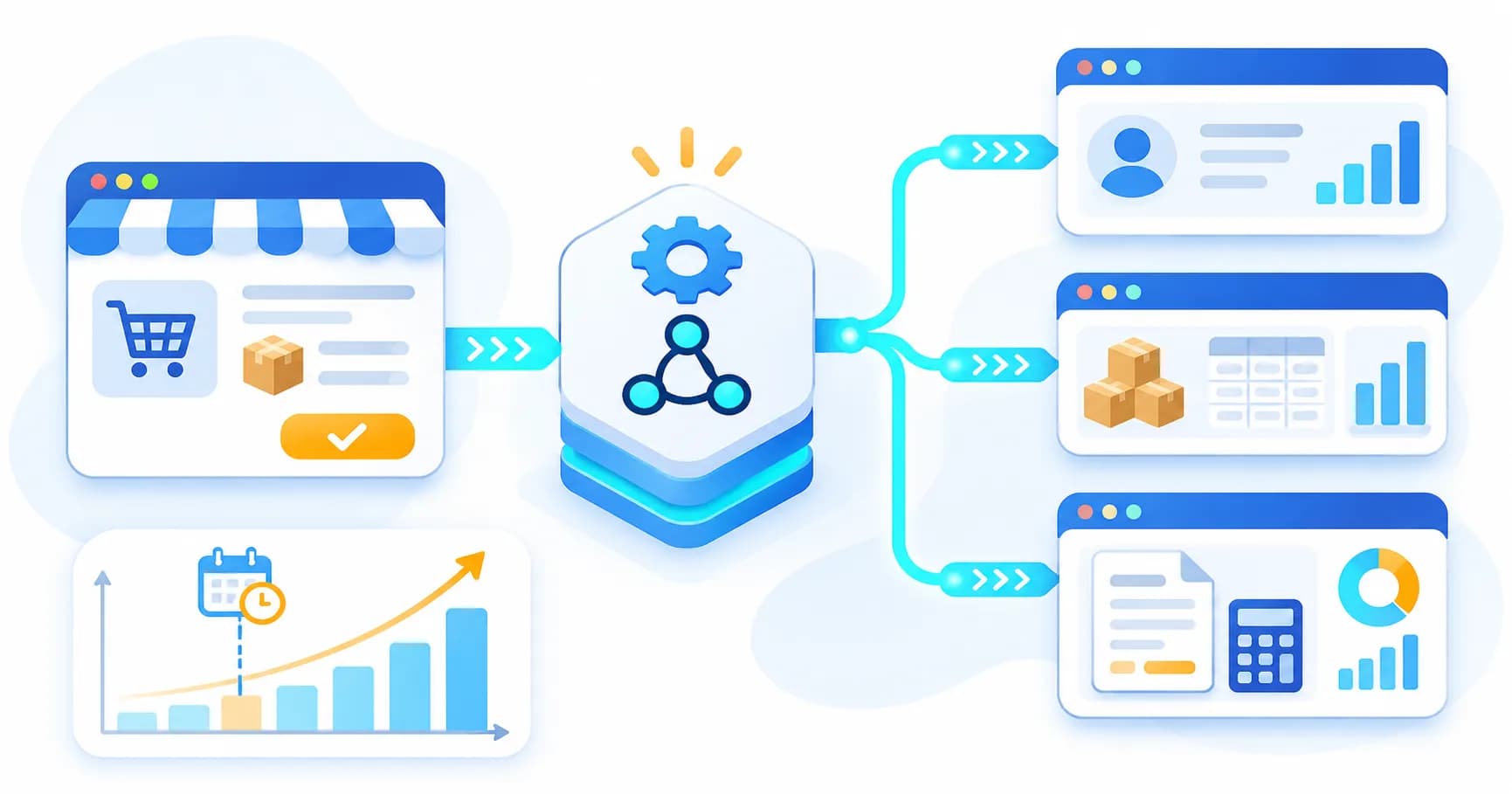
What it means: Your current software stays in place; an automatic data flow is set up between it and your other systems, such as your online shop, field app, CRM or reporting tool.
When it is right: When your software handles accounting well but does not talk to anything else. If the root of the problem is manual data transfer, this is almost always the answer.
How long it takes: From a few weeks to a few months, depending on scope. A simple one-way transfer is quick; a two-way setup connecting several systems takes longer.
Biggest risk: Limited options for getting data in and out of the software. If this is not checked at the start, it surfaces as a surprise halfway through the project.
Add-on modules
What it means: Activating the vendor's own add-on modules (production, service, CRM and so on), or building a small application that handles only the missing process alongside the software. For example, accounting can stay in the off-the-shelf package while customer management and quoting run in a separate CRM or ERP module connected to it.
When it is right: When the gap is a single business area and everything else runs smoothly in the software.
How long it takes: Days or weeks to activate an existing module; weeks to a few months for a purpose-built side application.
Biggest risk: Modules gradually turning into a patchwork. If every new need gets its own separate piece, a few years later nobody fully understands the system.
Custom software
What it means: A system designed from the ground up around your business processes. It may include the accounting core, or accounting may stay separate while everything else moves to the custom system.
When it is right: When your business model sits well outside the standard accounting process and there are too many gaps for integration to close.
How long it takes: Months. Scoping, development, testing, data migration and a parallel running period all need to be planned together.
Biggest risk: Getting the scope wrong and underestimating the transition. The migration plan decides success more than the software itself.
How integration works in practice
At the centre of most integrations is an API. An API is a defined doorway through which a program tells other software: "I can provide this data in this format, and I accept that data in that format." The two systems never look at each other's screens; they exchange data through this doorway.
In practice the process looks like this. First you decide which data flows in which direction, for example orders from the online shop to the accounting software, and stock levels from the software to the shop. Next you agree which system is the "source of truth" for each type of data; if the accounting software owns stock, a manual stock change on the website is corrected to the software's figure at the next sync. Syncing runs either on events (the moment an order arrives) or at set intervals. Finally, failure handling is designed: if the connection drops, data is not lost but waits in a queue, and the responsible person is notified.
The biggest worry for most businesses is breaking e-invoicing or tax reporting. Most off-the-shelf packages already handle this themselves or through a certified e-invoicing provider. A well-built integration leaves that flow untouched: it delivers the data to the software, and the software issues the invoice exactly as it does today. Your e-invoicing process stays the same; the only change is that the data behind each invoice arrives automatically instead of being typed in. E-invoicing rules differ from country to country and are changing across Europe, so always check the current requirements for your country with your tax authority and the European Commission's eInvoicing resources, which include up-to-date country factsheets.
We describe how we build these bridges, step by step, on our API and system integration page.
What if your software has no API
Not every off-the-shelf package has an open, documented API, and where one exists its scope can vary by edition and licence. That does not make integration impossible. Three options remain, each with clear limits.
Reading at database level. The software stores its data in a database, which can be read to feed reports or other systems. This works for reading, but writing directly to the database is a serious risk: the software may handle records it did not create in unexpected ways, and balances can be corrupted. A software update can also change the table structure, forcing the integration to be adapted. Check whether your licence agreement allows this kind of access.
File exchange (Excel, CSV, XML). Most packages can export and import certain data as files. Generating and processing these files automatically gives you a semi-automated flow. The limits: it runs in batches, not in real time; if the file format changes the flow stops; and error handling is weaker than with an API. It makes sense for jobs that only need to run once a day, such as an end-of-day sales import, but not for real-time stock.
Asking the vendor for an integration module. Many software vendors offer, at extra cost, an integration module, a web service or connections through partners. This is often the healthiest route because it works within the software's own rules. The limits are that the scope offered may not match your needs, and the extra licence cost.
Three questions usually settle the choice: How often does the data need to move? One way or both ways? Do you need to write data into the software, or is reading enough? The answers alone often tell you which method will work.
When moving to custom software is really necessary
Sometimes integration is not enough: your business model is far from the standard process, several companies or countries must be run in one structure, or the processes running on the side have become the core of the business. In that case, custom software development can be the right investment. But the transition plan matters as much as the software.
Data migration. First decide what moves: open customer and supplier balances, product records, the last few years of transactions. The rest can be kept in a read-only archive. After migration, balances and core reports are compared line by line with the old system. Customer and employee data remains subject to the GDPR throughout; transfer security, access rights and what happens to the data in the old system must be part of the plan. The full text of the regulation is available on EUR-Lex, and your national data protection authority publishes practical guidance.
Parallel running. The old and new systems run side by side for a period; the same transactions are processed in both and the results compared. It is tiring, but it is the only way to catch errors in a safe period rather than in live operation.
Staff training. However well the new screens are designed, changing habits takes time. Each role needs short, hands-on training of its own, plus a reachable support person in the first weeks.
Bringing your accountant on board. Your external accountant or tax advisor should be at the table from the start. If the chart of accounts, the reports needed for tax returns and the export formats are not defined with them, the problems tend to surface at the first filing deadline.
The most important warning: Do not schedule the switch for year end, a period close or a VAT or tax filing period. The team is already stretched at these times, and the smallest glitch in a new system can turn into a missed statutory deadline. Choose the quietest period in your business calendar.
Decision criteria
- State of existing data — Integration: Data is clean and kept in order in the software. Custom software: Data is scattered, inconsistent and held in several places; a clean-up is needed anyway.
- Budget — Integration: You want to move in stages within a limited budget. Custom software: You can commit to a larger, longer-term investment.
- Timeline — Integration: The problem needs to ease within weeks. Custom software: You can set aside months for the project and the transition.
- Staff habits — Integration: The team is used to the current software and resistance to change is high. Custom software: The team already relies on side tools and is open to a new way of working.
- Workflow — Integration: Your processes are largely standard and differ in only a few places. Custom software: Your processes are distinctive and part of your competitive edge.
- Fit with your accountant — Integration: Your accountant wants to keep working with the current software. Custom software: Your accountant can be involved from the start and the required outputs can be defined.
- Ease of reversal — Integration: Easy: switch the integration off and the software keeps working as before. Custom software: Hard: once the transition is complete, going back is a major undertaking.
If the integration side describes you for most criteria, try integration before thinking about replacing your software. If the custom software side dominates, it may be time to prepare a planned move to custom software.
Where to start
The first step is not calling a software company but writing the problem down: which data is moved by hand and how often, how many hours each report takes, which processes run outside the software. The second step is to find out your software's technical limits; ask the vendor or reseller whether it offers data export, a web service or an integration module. With those two pieces of information, any company you ask for a quote can propose a concrete path for your situation instead of guessing. If you share your list with us, we will look at what can be solved without replacing your current software and prepare a written proposal.
Frequently Asked Questions
Can I integrate my systems without replacing my current accounting software?
In most cases, yes. Integration does not replace your software; it builds a bridge that moves data between it and your other systems, such as your online shop, field service app or reporting tool. What is possible depends on how your software exposes its data, so the first step is always to find out its technical limits.
Will integration disrupt my e-invoicing or VAT reporting?
Not if it is set up properly. Most off-the-shelf accounting packages already handle e-invoicing and tax reporting themselves or through a certified provider; a well-built integration delivers the data to the software and leaves invoice issuing to the software itself. Testing in a sandbox first and going live in a quiet period keeps the risk low.
What if my accounting software has no API?
There are still options: reading from the database, exchanging Excel, CSV or XML files, or asking the software vendor for an integration module. Each has its limits; writing directly to the database is generally not advisable, and file exchange runs in batches rather than in real time. The right choice depends on how often the data has to move and in which direction.
If I move to custom software, what happens to my historical data?
Historical data is moved through a planned migration; first you decide which data is migrated and which stays in a read-only archive. After migration, balances and key reports are checked against the old system. Customer and employee data remains subject to GDPR throughout the move.
Will my external accountant be able to work with a new system?
Involving your accountant from the start solves most of this. If the chart of accounts, reports and exports needed for tax returns are defined together with them, the new system fits the way they work. And if you choose integration instead, your accountant keeps working with the software they already know.