Business Process Automation: Examples, Costs and ROI in 2026
Business process automation without guesswork: how it differs from AI, which processes to automate first, examples from CRM, ERP and e-commerce, cost drivers and a transparent ROI and payback calculation.
Summary
Business process automation without guesswork: how it differs from AI, which processes to automate first, examples from CRM, ERP and e-commerce, cost drivers and a transparent ROI and payback calculation.
Business process automation means moving repetitive work steps, such as re-typing data, sending notifications, creating documents or handing tasks over, from people to systems that follow defined rules. For most SMEs, the fastest payback comes from a process with high volume, clear rules and data that is already digital. Calculate the business case before you build anything: measure today's time and error rate, estimate one-off and monthly costs, and only then choose the tool.
This guide explains how process automation differs from AI automation, which processes to automate first, what drives implementation costs and how to calculate ROI and the payback period yourself.
What is business process automation, and how is it different from AI automation?
Business process automation (BPA) is software carrying out process steps according to predefined rules: "when an order is paid in the online shop, create a document in the ERP and send the customer a confirmation." The same input always produces the same output, which makes such systems easy to test and audit.
AI automation uses a model to interpret ambiguous input: it recognises the intent of an email, extracts fields from an invoice with an unusual layout or drafts a reply. The result is probable rather than guaranteed, so it needs confidence thresholds and human review.
In practice the two complement each other. The backbone of a process (data flows between systems, statuses and permissions) is usually rule-based. AI is added only to the steps where a rule is not enough.
Eurostat data for 2025 (enterprises with 10 or more employees) shows how much room there still is. Across the EU, 46.45% of enterprises used ERP software and 28.51% used CRM software (Eurostat: E-business integration), while 19.95% used AI technologies (Eurostat: Use of artificial intelligence in enterprises). In Poland, where Kordevo is based, the figures were 39.10% for ERP, 24.32% for CRM (Eurostat dataset isoc_eb_iip) and 8.36% for AI. For many SMEs, the first gains therefore lie in connecting the systems they already have, before any AI is involved.
Which processes should you automate first?
A good first candidate meets most of these criteria:
- High volume. The process runs dozens or hundreds of times a month.
- Clear rules. Decisions can be written as "if… then…" without expert judgement.
- Digital input. Data comes from a system, form or file, not from paper.
- Measurable cost of errors. A mistake means a corrected invoice, a return or a lost customer.
- Systems with APIs. The applications that need to talk to each other offer an integration interface.
- Stability. The process does not change every month and has a business owner.
Document the process as it is today and remove unnecessary steps first. Automating a messy process only makes the mess faster.
Business process automation examples
The examples below focus on rule-based automation. Processes where AI plays the main role are covered in our separate article on business processes SMEs can automate with AI.
Sales and CRM
- A lead from the website form lands in the CRM with an assigned sales rep and campaign source.
- When a deal moves to a new stage, the system creates a follow-up task and reminder.
- An accepted quote automatically creates the customer record in the accounting system.
ERP, inventory and orders
- A B2B or webshop order creates an ERP document, reserves stock and generates a shipping label.
- Stock falling below the minimum triggers a purchase proposal for approval.
- A daily sales and margin report reaches management without a manual export.
Customer service
- Each ticket gets a number, category and response deadline in line with the SLA.
- Customers are notified automatically whenever an order or repair status changes.
- Cases without a reply within the set time are escalated to a team lead.
Accounting and invoicing
Structured e-invoicing makes accounting automation much easier, and more European countries are making it mandatory for B2B transactions. In Germany, for example, businesses must be able to receive e-invoices in the EN 16931 standard since 1 January 2025, and the obligation to issue them for domestic B2B transactions is being phased in between 2027 and 2028, with exceptions such as businesses under the small-business scheme (European Commission: eInvoicing in Germany). Poland has a similar obligation through its national KSeF system (Polish Ministry of Finance). Check the rules in each country where you invoice. Structured invoices make it easier to automate:
- importing and pre-booking purchase invoices according to rules,
- matching payments against bank statements,
- sending reminders for overdue receivables.
If you are deciding whether standard software is enough, see our guide off-the-shelf accounting software or custom software.
E-commerce
- Price and stock synchronisation between the shop, marketplaces and the warehouse.
- An invoice and confirmation email issued automatically once an order is paid.
- Returns handled in one flow: label, status change and credit note.
Rule-based automation, AI or custom software?
These are not three competing products but three tools for different problems.
Rule-based automation (iPaaS or low-code tools, integrations built into CRM and ERP systems, scripts) works well when systems have APIs and the logic is simple. It can be quick to set up, but with many exceptions the workflows become hard to maintain, and subscription costs often grow with the number of operations.
RPA (software robots that click through a user interface) is a fallback for systems without an API. It works, but breaks easily when a screen changes.
AI automation makes sense when input is ambiguous: free text, scans or conversations. It requires quality control and regulatory compliance.
Custom software is the right choice when the process is a source of competitive advantage, volumes are high, logic is complex or off-the-shelf tools force expensive workarounds. The upfront cost is higher, but you control the data, permissions and roadmap. Read more about custom software development.
How do automated systems connect? APIs and webhooks
An API (application programming interface) is a documented way for one system to let another read and write data, for example "create a customer" or "fetch orders from the last hour".
A webhook works the other way round: instead of repeatedly asking a system whether something has changed, the integration is notified the moment an event happens. GitHub's documentation describes webhooks as pushing data to your server as events occur, rather than polling the API.
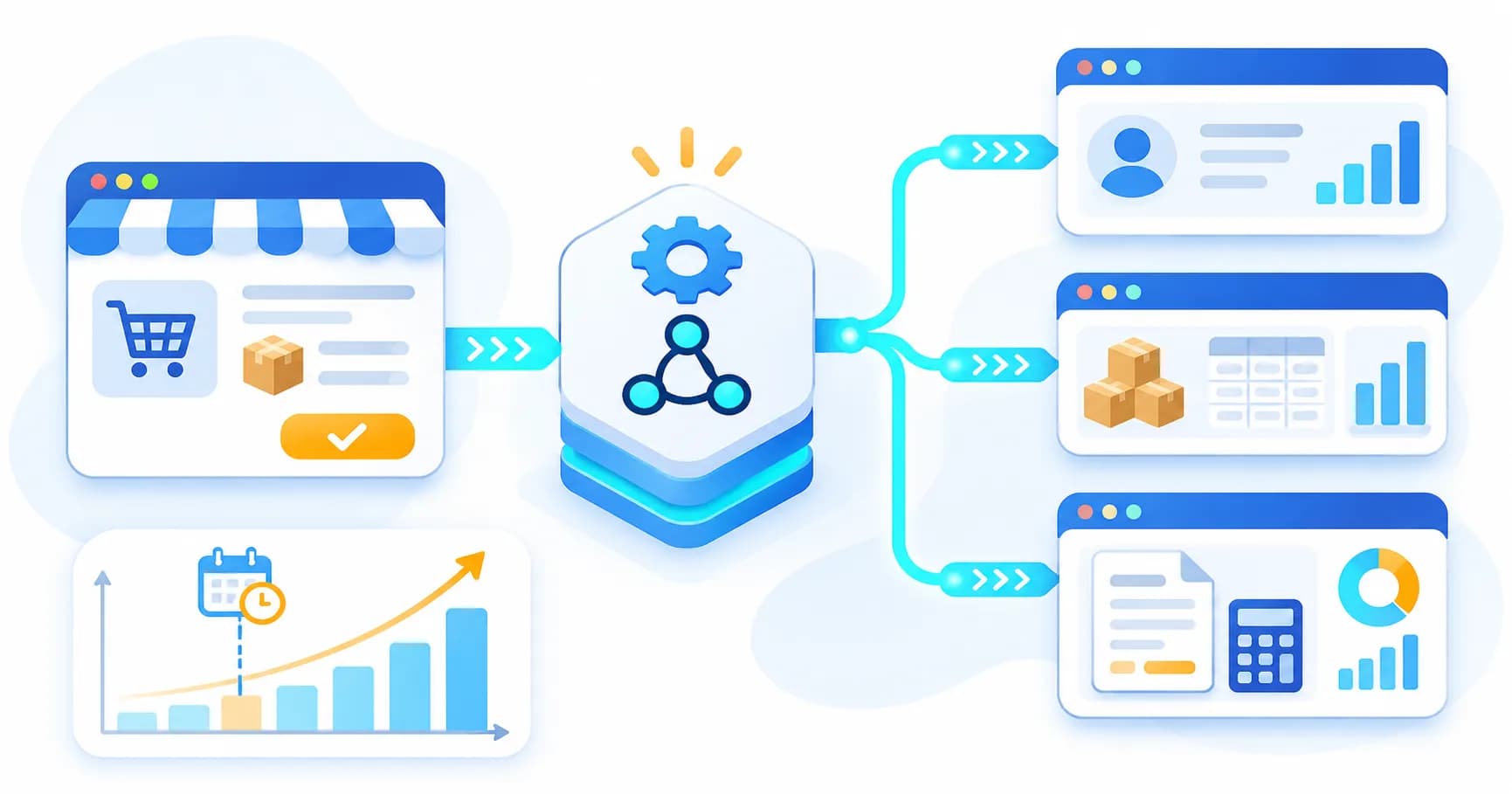
A typical flow: the shop sends an "order paid" webhook, the integration layer verifies the message signature, maps the fields, calls the ERP API, writes the result to a log and, on failure, retries and alerts a responsible person. Data mapping, error handling, retries and logging are exactly what separates a production-grade API integration from a prototype.
What determines the cost of process automation?
There is no honest "average price" for automation, because projects differ in scope. One-off costs depend mainly on:
- the number of systems and the quality of their APIs (a ready API costs less to integrate than file exchange or RPA),
- the number of scenarios and exceptions in the process,
- data quality and any cleansing or migration needed,
- security and GDPR requirements (roles, logs, data processing agreements),
- testing and go-live on production data, plus team training.
Ongoing costs include tool subscriptions (often priced per operation or user), hosting, monitoring, maintenance and adapting integrations when a vendor changes its API. Leaving these out is the most common reason for an inflated ROI. When requesting a quote, ask for one-off and monthly costs separately and a clear description of what maintenance covers.
How to calculate ROI, payback period and ongoing costs
The formulas are simple:
- Monthly net benefit = time saved × hourly labour cost + avoided error costs − ongoing costs.
- Payback period (months) = one-off cost ÷ monthly net benefit.
- 12-month ROI = (12 × monthly net benefit − one-off cost) ÷ one-off cost.
The payback period only makes sense when the monthly net benefit is positive. If it is zero or negative, the investment never pays back from ongoing savings and the payback period cannot be calculated: reduce costs, increase the benefit or drop the project.
Worked ROI example (hypothetical inputs)
The values below are purely illustrative. They are not a quote or a market average. Replace them with your own data.
- Online shop: 900 orders per month, re-typed manually into the ERP and invoiced.
- Manual handling time: 6 minutes per order; after automation: 1 minute for checking exceptions.
- Fully loaded labour cost: €25 per hour (hypothetical).
- Errors: 2% of orders before automation, 0.5% after; cost of correcting one error: €10.
- One-off implementation cost: €12,500; ongoing costs: €250 per month.
Calculation:
- Time saved: 900 × 5 min = 4,500 min = 75 hours a month, i.e. 75 × €25 = €1,875.
- Fewer errors: 18 − 4.5 = 13.5 errors × €10 = €135.
- Gross benefit: €2,010; after ongoing costs, the net benefit is €1,760 per month.
- Payback period: 12,500 ÷ 1,760 ≈ 7.1 months.
- 12-month ROI: (21,120 − 12,500) ÷ 12,500 ≈ 69%.
Always run a cautious scenario too. If automation saves only 3 minutes per order, the net benefit falls to €1,010, payback stretches to about 12.4 months and first-year ROI turns slightly negative (about −3%). Remember that saved hours are only a real saving if the team uses them for other valuable work.
Common mistakes and security considerations
The most common implementation mistakes:
- automating a process without simplifying it first,
- not measuring the "before" state, so the effect cannot be proven,
- no exception handling or error alerts,
- integrations running on an employee's personal account instead of a service account,
- no process owner and no documentation.
Plan security from day one. The OWASP API Security Top 10 (2023) lists risks such as broken object level authorisation, broken authentication and unsafe consumption of third-party APIs. In practice this means storing API keys in a secrets vault rather than a spreadsheet, least-privilege access, verifying webhook signatures, encrypting traffic and keeping event logs. If automation processes personal data, the tool vendor usually acts as a processor and a data processing agreement is required under Article 28 of the GDPR, while Article 32 requires appropriate security measures.
A practical automation decision framework for SMEs
Answer five questions in order:
- Is the process documented and stable? If not, standardise it first.
- Can decisions be written as rules? Yes: rule-based automation. No, because input is free text or scans: consider AI with human review.
- Do the systems have APIs? Yes: integrate via APIs and webhooks. No: RPA as a temporary fix, or replace the system.
- Can an off-the-shelf tool handle the exceptions and volume at a reasonable cost? Yes: configure the existing tool. No: build an integration or a custom module, for example an extension of your CRM or ERP system.
- Is the payback period acceptable in the cautious scenario? If not, reduce the scope or choose another process.
If this analysis shows that key steps really need AI, our separate guide on how to start AI implementation in your business covers the next steps, and you can see typical solutions on our AI automation page.
How Kordevo helps with process automation
Kordevo is a software company based in Łódź, Poland, that connects business systems via APIs, extends CRM and ERP platforms and builds custom software for companies across Europe. We start by mapping one process and calculating ROI on your own data, and only then recommend the tool: an existing integration, rule-based automation, AI or a custom module. If you want to find out which process in your company would pay back fastest, get in touch with us.
Frequently Asked Questions
What is business process automation?
Business process automation (BPA) is software carrying out repetitive process steps, such as moving data, sending notifications or creating documents, according to predefined rules. The same input always produces the same output, which makes the system easy to test and audit.
How is process automation different from AI automation?
Rule-based process automation follows fixed "if… then…" rules and produces predictable results. AI automation interprets ambiguous input such as free text or documents with varying layouts; its results are probabilistic and need human review. In most projects the backbone is rule-based and AI is used only in the steps that need it.
Which processes should an SME automate first?
Start with processes that have high volume, clear rules, digital input, a measurable cost of errors and systems that offer APIs. Typical examples are transferring orders to the ERP, logging form enquiries in the CRM, matching invoices and payments, and sending status updates to customers.
What determines the cost of process automation?
One-off costs depend on the number of systems and the quality of their APIs, the number of scenarios and exceptions, data quality, security and GDPR requirements, and the scope of testing and training. Monthly costs such as subscriptions, hosting, monitoring and maintenance come on top. Ask for both to be quoted separately.
How do you calculate the ROI of automation?
Monthly net benefit = time saved × hourly cost + avoided error costs − ongoing costs. Payback period = one-off cost ÷ monthly net benefit. 12-month ROI = (12 × monthly net benefit − one-off cost) ÷ one-off cost. If the net benefit is zero or negative, no payback period can be calculated. Always also calculate a cautious scenario with smaller time savings.